Native
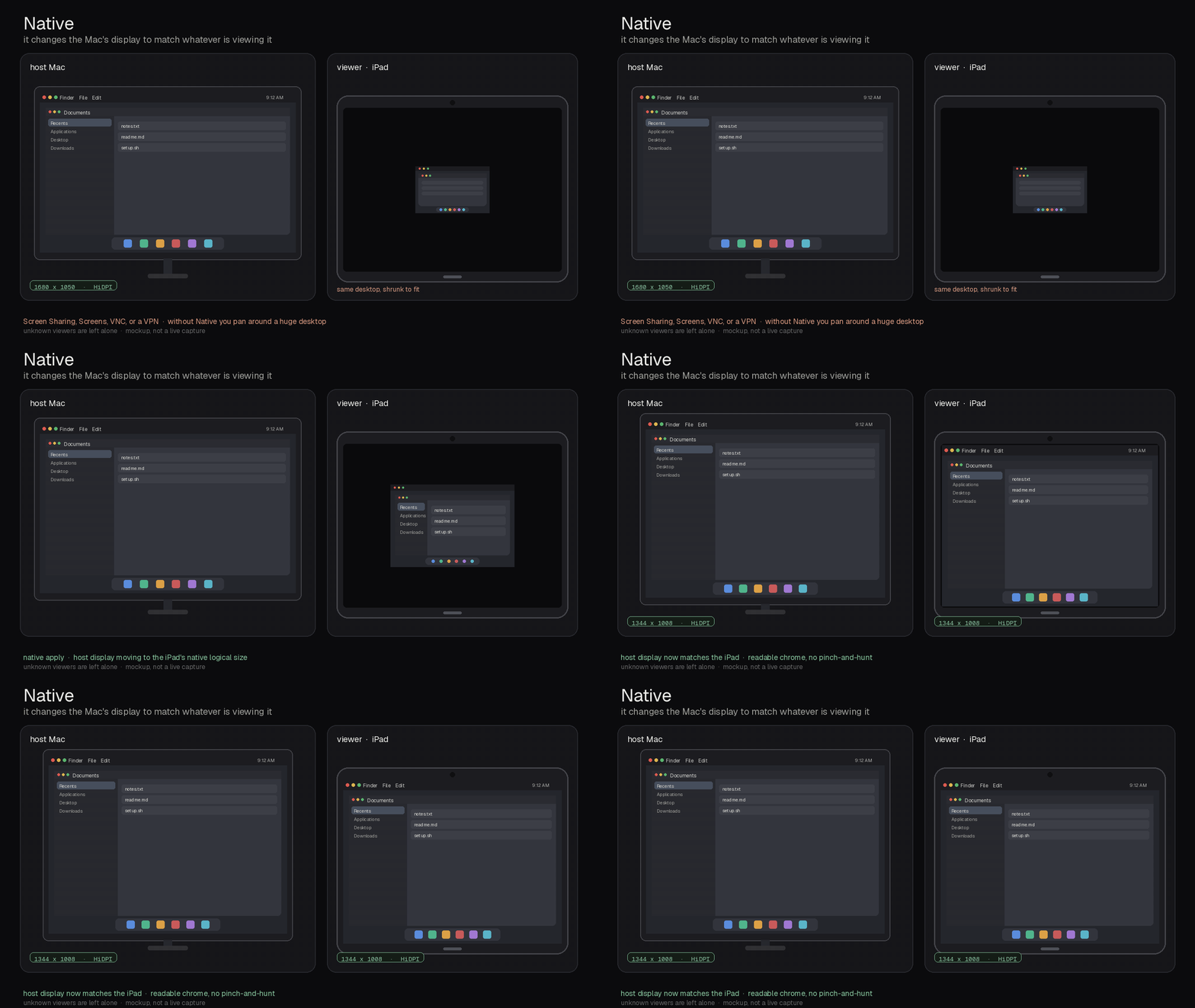
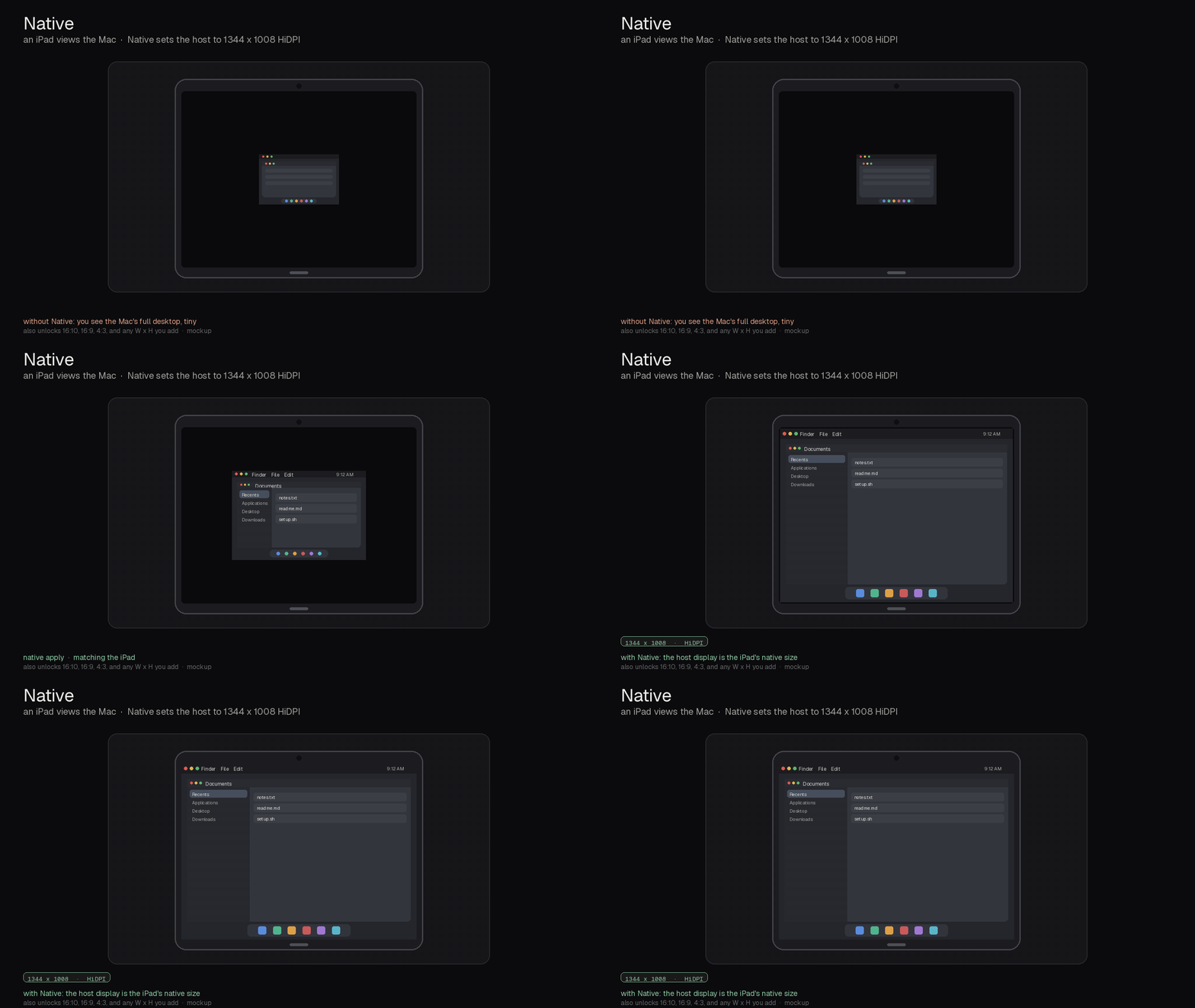
when a tablet, iPhone, or Mac is viewing this Mac, Native sets the host display to that client's logical size. HiDPI when the panel advertises it. detection runs on the Mac, so the viewer app does not need extra settings.
see it work
what it does
it watches the Mac itself. any VNC-compatible viewer that connects to the built-in screen sharing ports (5900, 5901, and 3283) is seen: Apple Screen Sharing, Screens, built-in VNC, RealVNC, TightVNC, TigerVNC, and Jump Desktop in VNC mode. a VPN or overlay network is optional and only helps name the device.
it works with any tablet, not just one iPad size. when the Mac can read the tablet's own size it matches that canvas; otherwise it uses a shared 4:3 fallback (1344x1008), not the 13-inch iPad Pro size (1376x1032). a 13-inch iPad Pro that reports 2752x2064 gets 1376x1032; a tablet that reports 2560x1600 gets 1280x800.
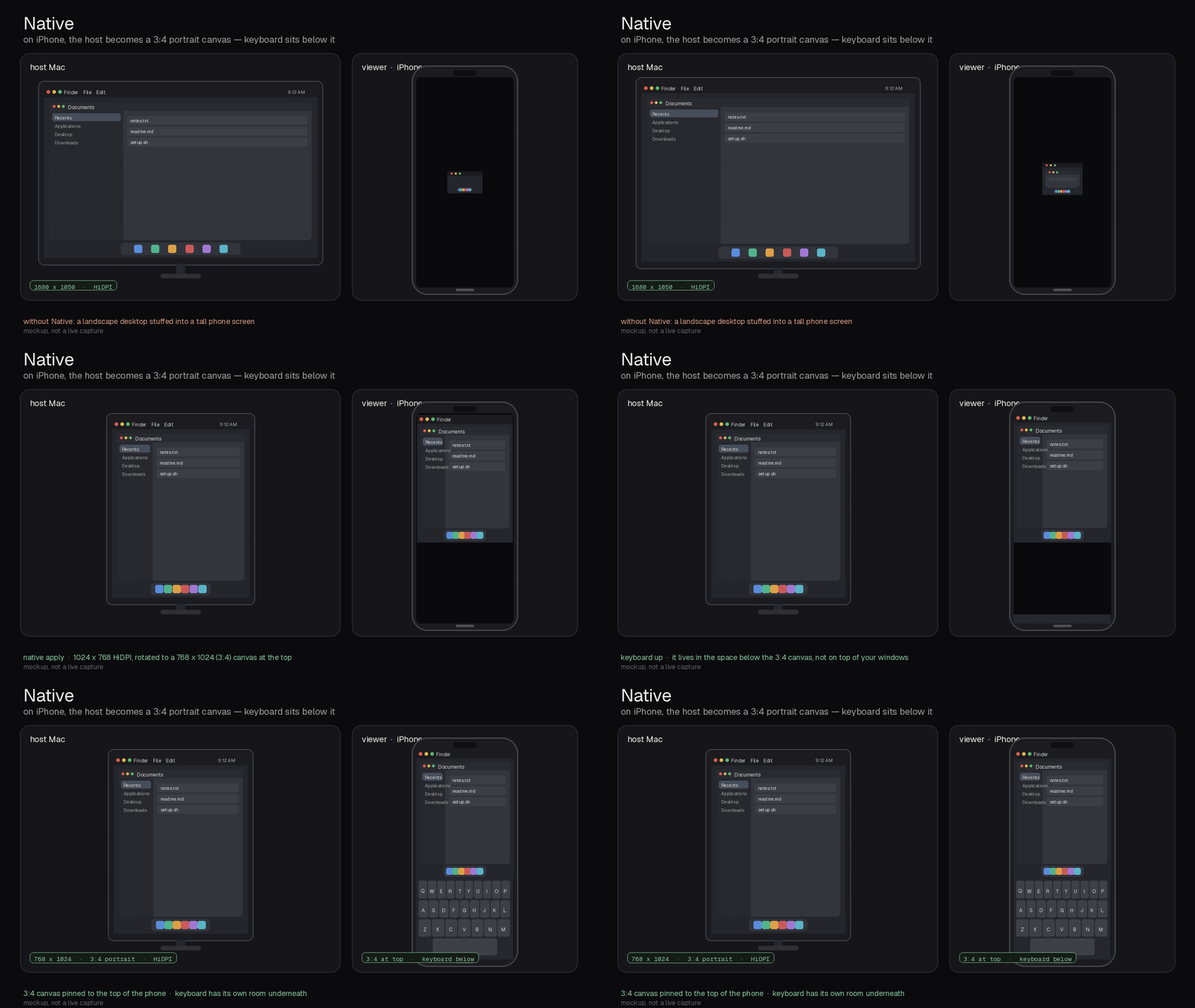
if the desktop becomes a phone's portrait canvas, Native can inset windows above the on-screen keyboard. there is no tablet portrait mode. a name that is only "pixel" or "galaxy" does not auto-resize, which is safer than rotating a tablet.
what's new in Native 1.0
first public release, nov 6, 2026. the notes below match the behavior announced on x.
- host-side auto resize to the viewer's logical size, with no extra client settings
- any tablet, not iPad-only: names with ipad, tablet, or tab (including Galaxy-Tab, Pixel-Tablet, and SM-X) classify as a tablet
- when the Mac can see a reported tablet size, Native matches that canvas. a reported 2752x2064 becomes 1376x1032. a reported 2560x1600 becomes 1280x800. otherwise the shared 4:3 fallback is 1344x1008
- iPhone portrait at 1024x768 HiDPI rotated 90 (768x1024) plus the keyboard inset
- Tailscale is optional; reverse DNS, mDNS, and ARP/NDP still classify viewers. unnamed public relays use the tablet fallback so a Screens Connect-style session still resizes
- the command is
native.nativedisplayis an alias - self-guided CLI setup: run
./install.sh, thennative setup
setup
self-guided from the CLI:
brew install displayplacer
git clone https://github.com/hailports/Native.git
cd Native && ./install.sh
native setup
native setup asks for sudo once. then log out, unplug-replug the display, or wake so the new modes load. after that, native status shows what Native can see.
get the build log
new setups, numbers and guides when they ship. no spam, unsubscribe any time.